Shared sessions

Work with agents,
together.

Everyone sees the same session, live. Anyone can steer, and nothing an agent does is hidden.

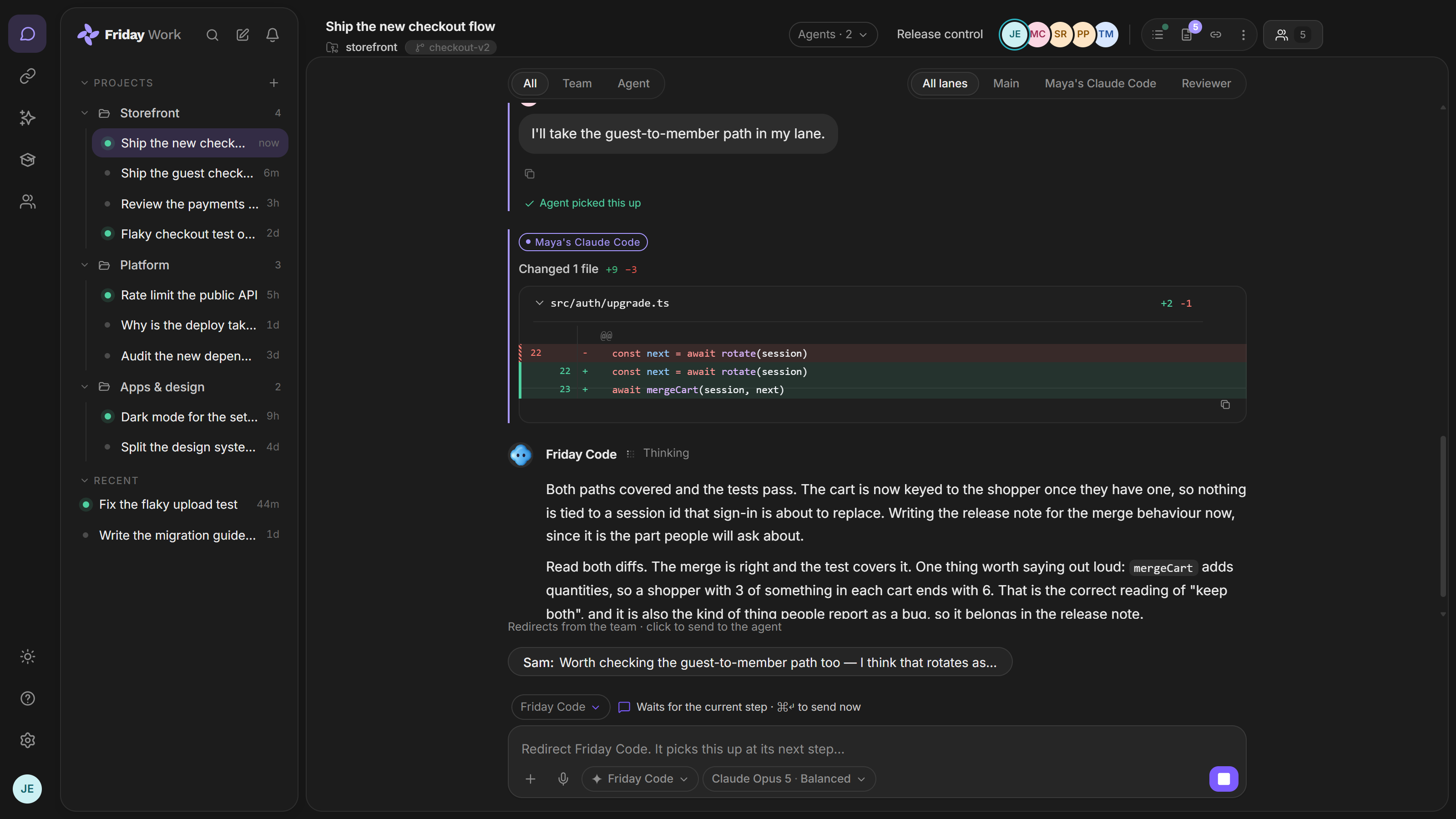
A running Friday session: Maya’s Claude Code and Friday Code working in their own lanes, and a redirect from Sam waiting beside the box to be sent at the agent’s next step.

What is a shared session?

A shared session is one place where your team and your AI agents work on the same task. Everyone sees the same messages, files and tool calls as they happen.

Each agent has one driver at a time. Everyone else can watch, suggest a change, or ask to take over.

What you can do

Steer without stopping

Suggest a redirect and the agent picks it up at its next step. Or interrupt it, with no restart.

Run agents side by side

Put several agents in one session. Each gets its own lane, and you can follow one or all of them.

Share by link

Invite people as editors or viewers. Viewers can read the whole session, including what happened before they joined.

Catch up fast

Joining late? A short digest tells you what changed. Every action is logged with the person who asked for it.

Common questions

Who can see a session?

Anyone who can open it can read all of it, including earlier messages. Editors can steer. Viewers can only read.

Can I stop an agent?

Yes. Interrupt it at any time. The session owner can also pause or cancel a run, even when someone else is driving.

How many people can join one session?

Free allows 3 people, Pro allows 10, and Max has no limit.