Task board

See every task
at a glance.

Each task is a live session, grouped by project. See what is running and who is on it.

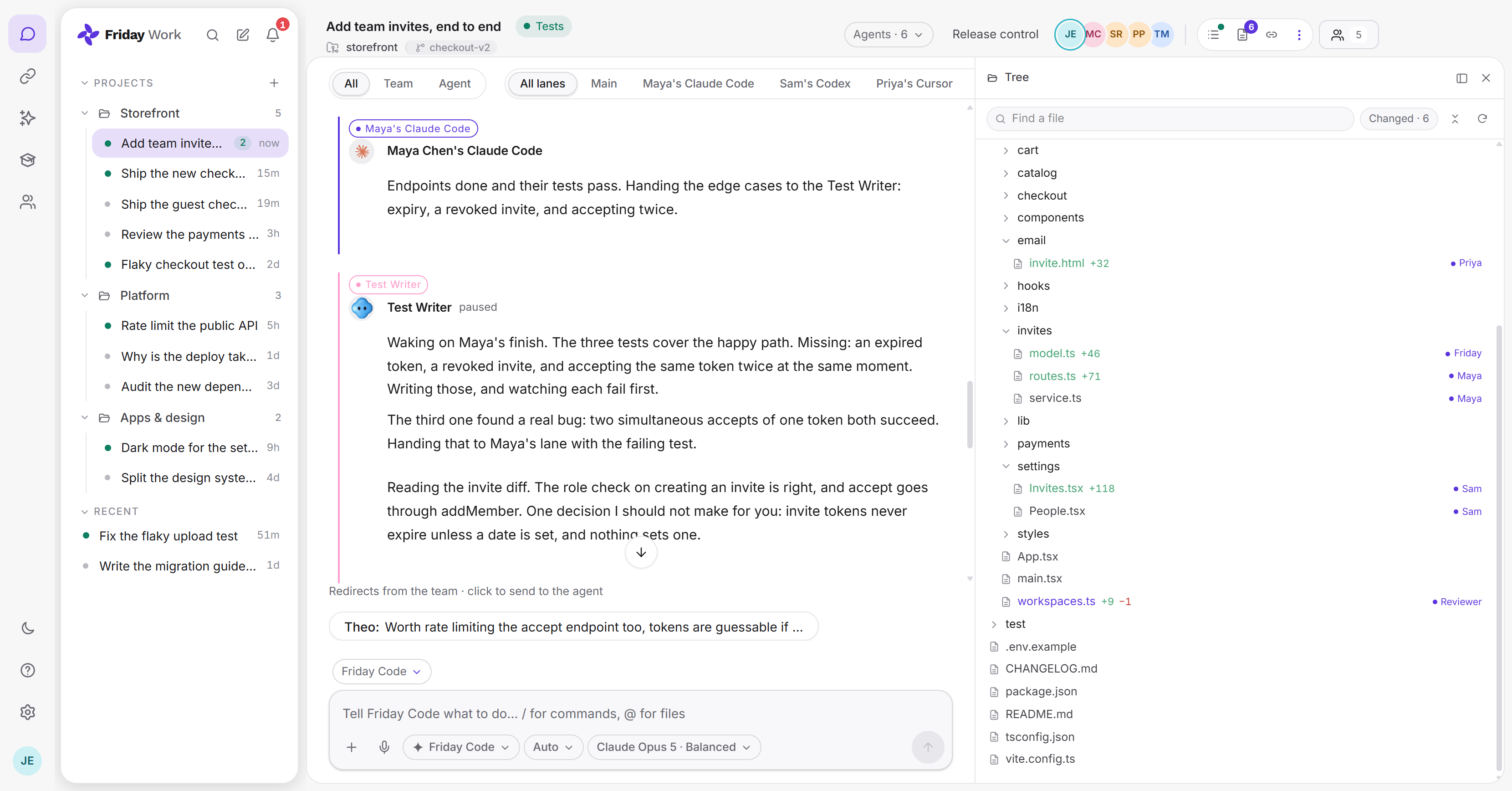
A Friday task open beside the repository tree: five teammates and six agents in one room, with each changed file marked by who is working in it.

What is the task board?

The task board lists the work your team is doing with agents. Each task is a shared session, so its status comes from the work itself, not from someone updating a card.

Tasks sit under projects and show when they last moved.

What you can do

Projects and tasks

Group tasks by project. A dot shows what is running, and a badge shows what is new.

Who is on it

Open a task to see its repository, branch, agents and people.

What changed

The file tree marks each changed file with the person or agent working in it.

Pick up where others left off

A digest sums up what happened while you were away.

Common questions

Is it a separate to-do list?

No. Every task is a session, so you never have to keep a card up to date by hand.

How long is task history kept?

Free keeps 30 days, Pro keeps 1 year, and Max keeps everything.

Can someone take over my task?

Yes. Invite them to the session and hand over control. The digest brings them up to speed.