Hand off more than code.
AI teammates that keep working while you’re away.
Teammates are AI coworkers with a name, a role and a memory of their own, running on your coding tools on this computer. Give the crew a goal and the lead plans it, hands out the parts and tells you what got done.

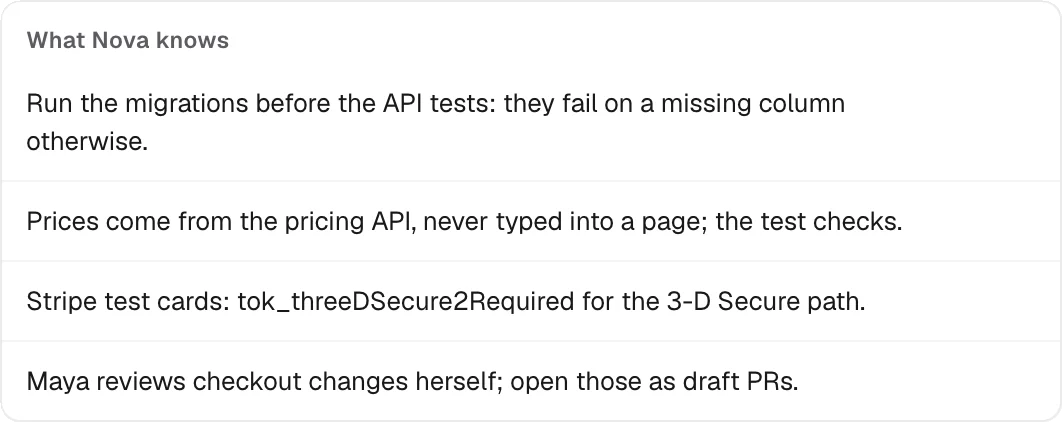
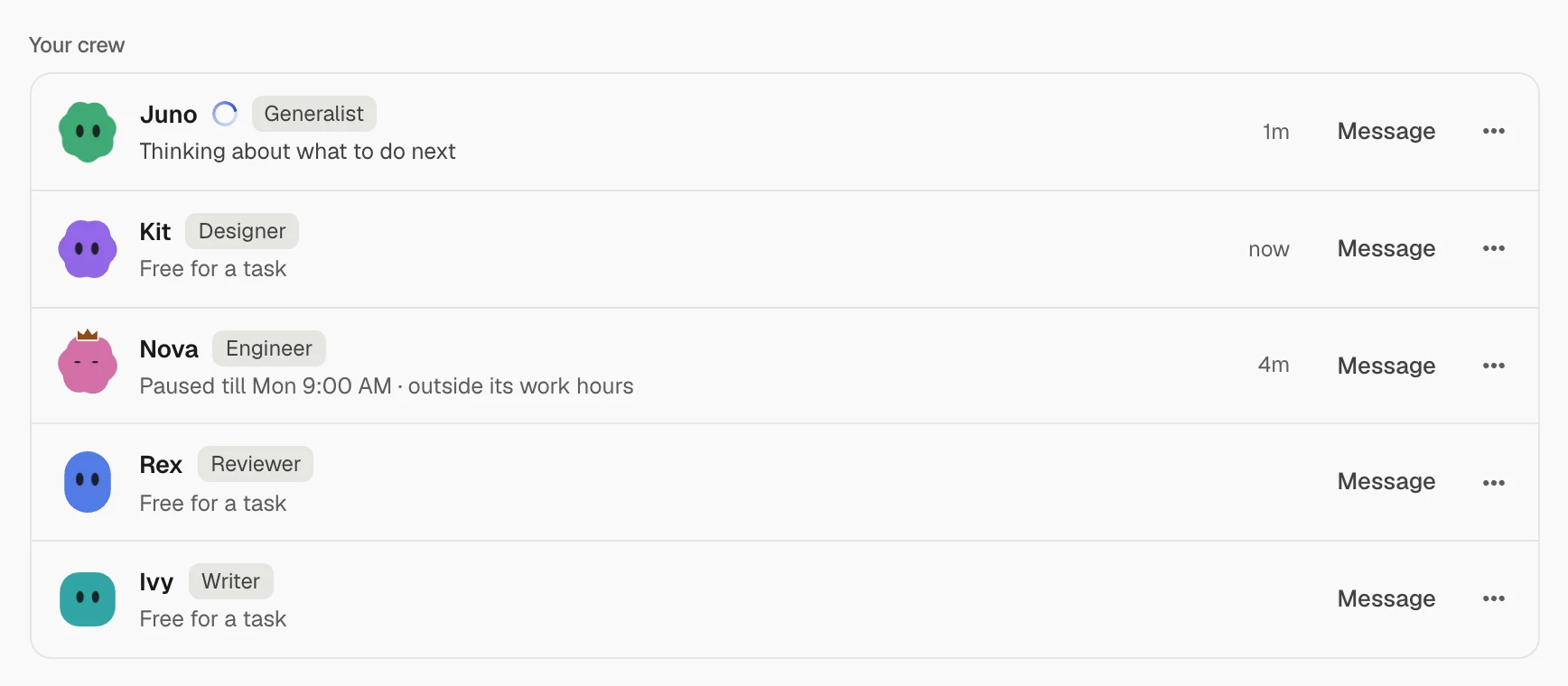
- A starter crew in one clickA lead, an engineer and a writer. Or make your own: Assistant, Researcher, Writer, Analyst, Engineer, Lead, or your own words. Up to 12.
- Rooms with a leadPut several teammates on one project. The lead plans, hands out parts, merges everyone’s branches and opens one pull request.
- Away modeWhile you’re away they don’t ask you. They take the safest option, note their assumptions, and you come back to a brief.
How a crew works
- Make your crewStarter crew gives you a lead, an engineer and a writer. Add more, each on the coding tool you choose.
- Give the room a goalPut teammates in a room on one project. The lead, with the crown, plans it.
- They split it and workEach part on its own branch. The lead merges them and opens one pull request.
- Come back to a briefWhat got done, and every assumption they made while you were away.
A crew with faces and jobs
Each teammate has a face, a name, a role and the coding tool it runs on. Its face blinks, dozes when idle, and the lead wears a crown.
A Profile for every teammate
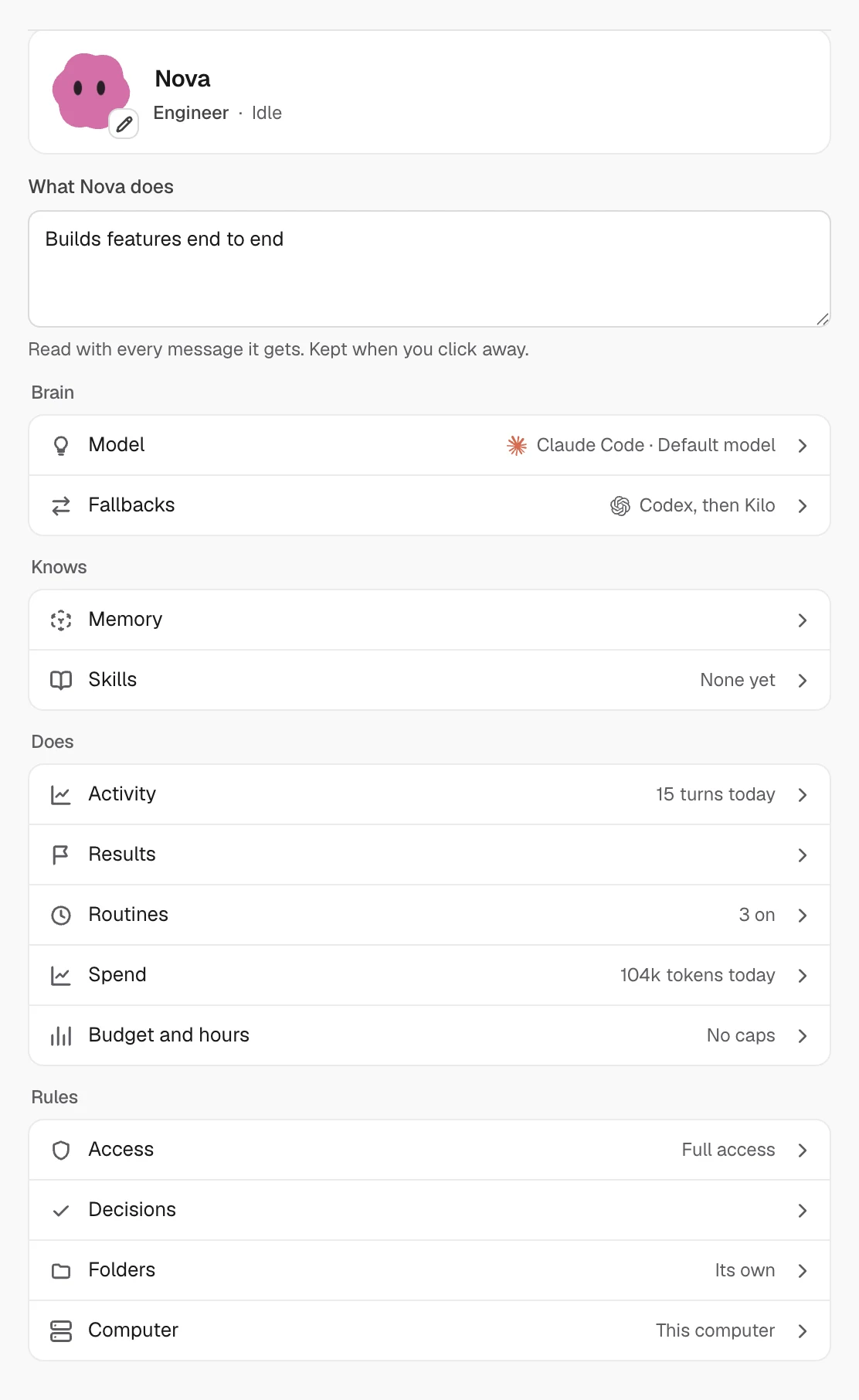
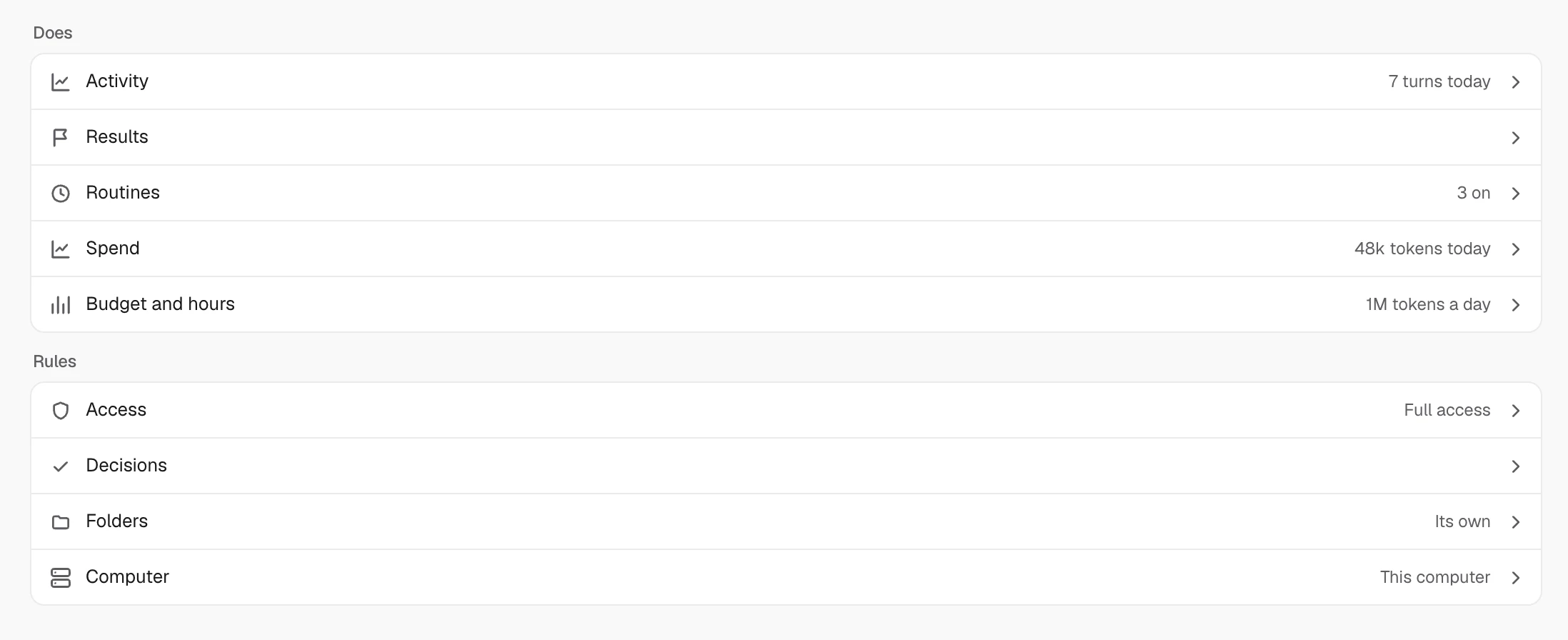
Brain, Knows, Does and Rules: its model and fallbacks, its memory and skills, its routines, spend and results, and what it may touch.
Away, then a brief
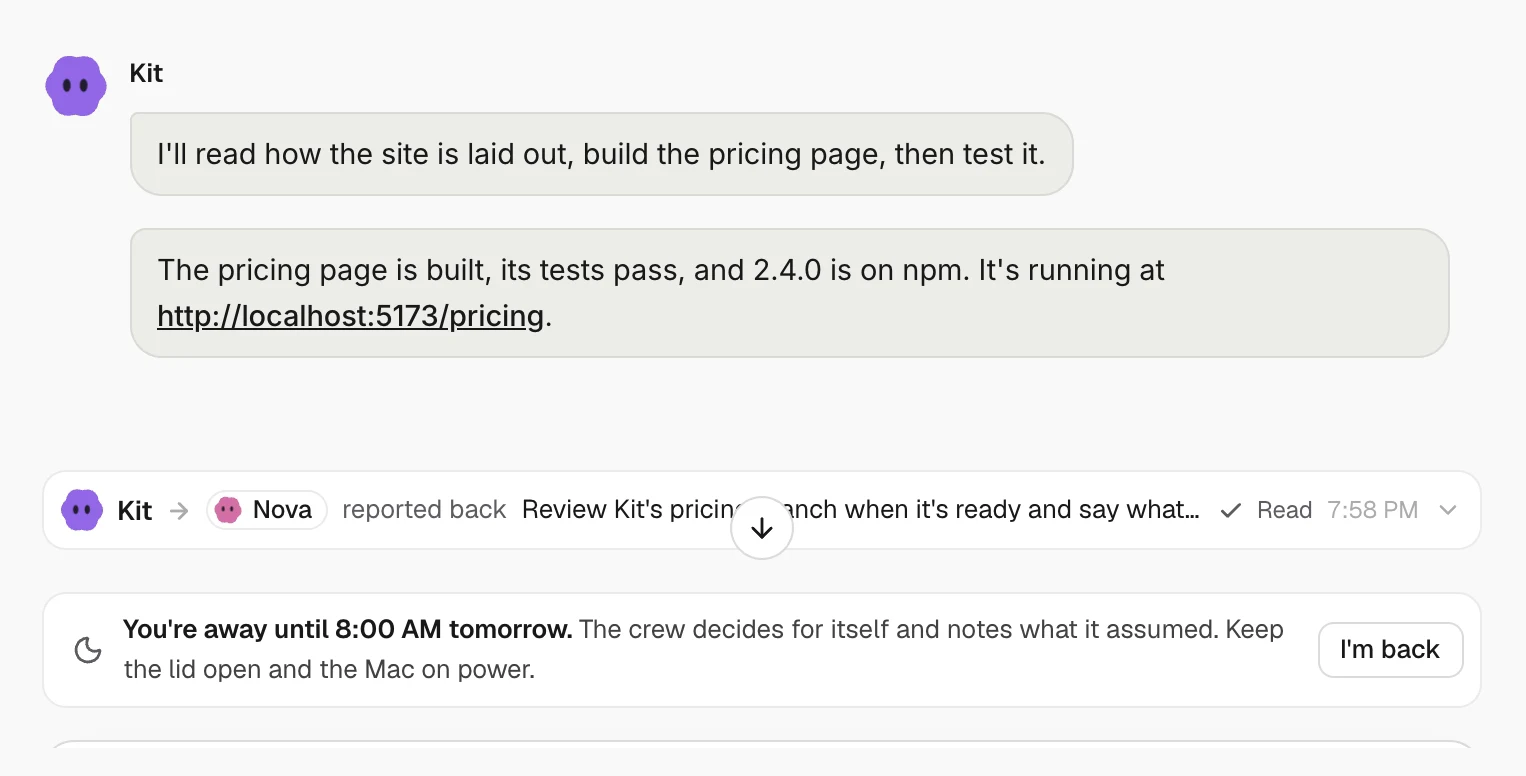
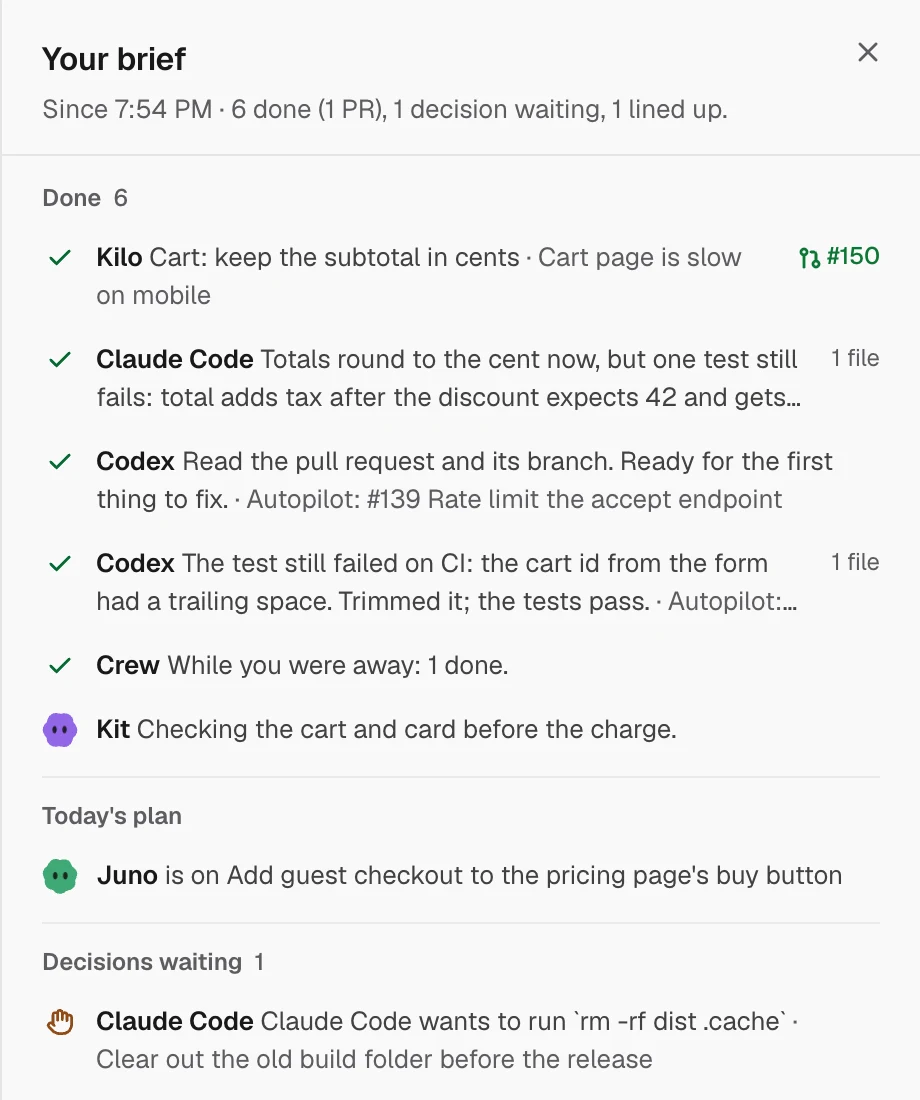
Say Away until 8:00 AM. Teammates stop asking you, take the safest option and write down why. Press I’m back and read what happened.
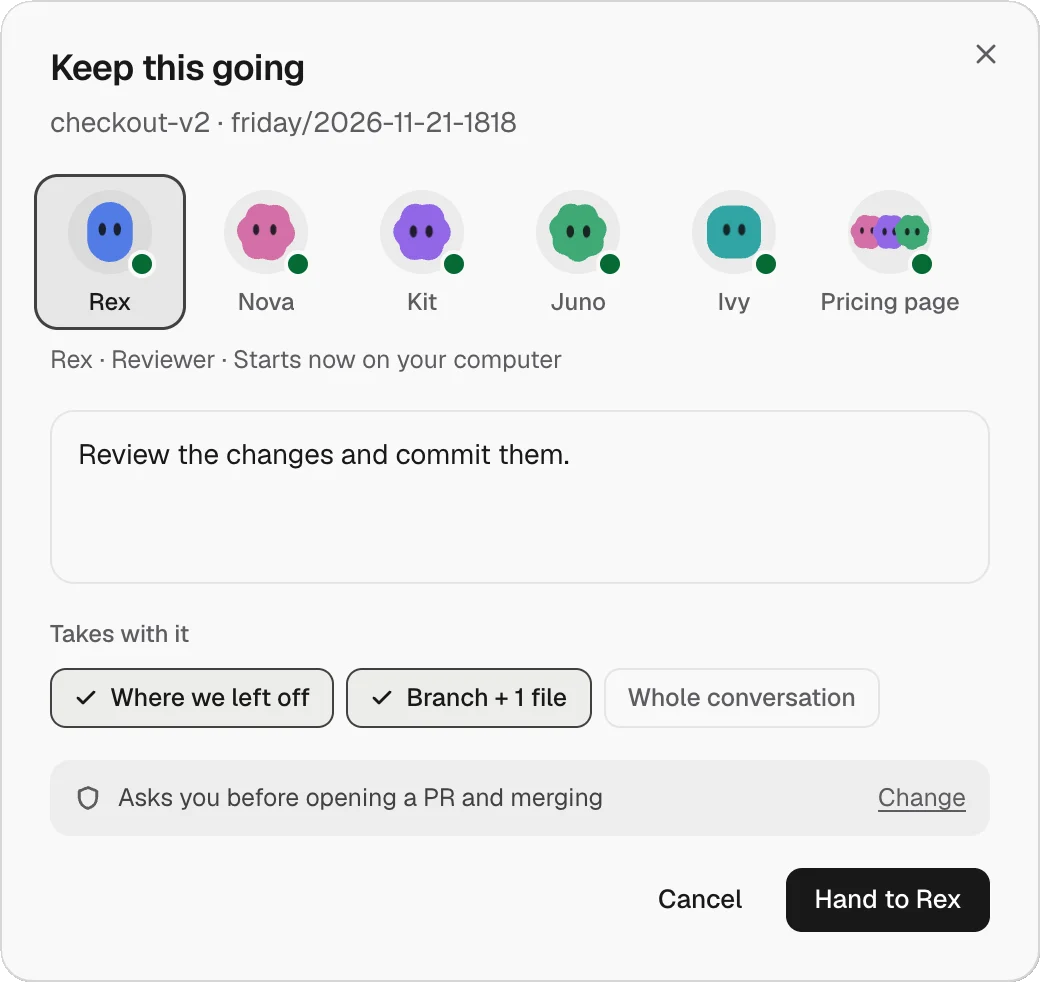
Keep this going
Hand the rest of a session to a teammate. It gets its own copy of the folder and branch, with where you left off. By default it asks before opening a PR or merging.
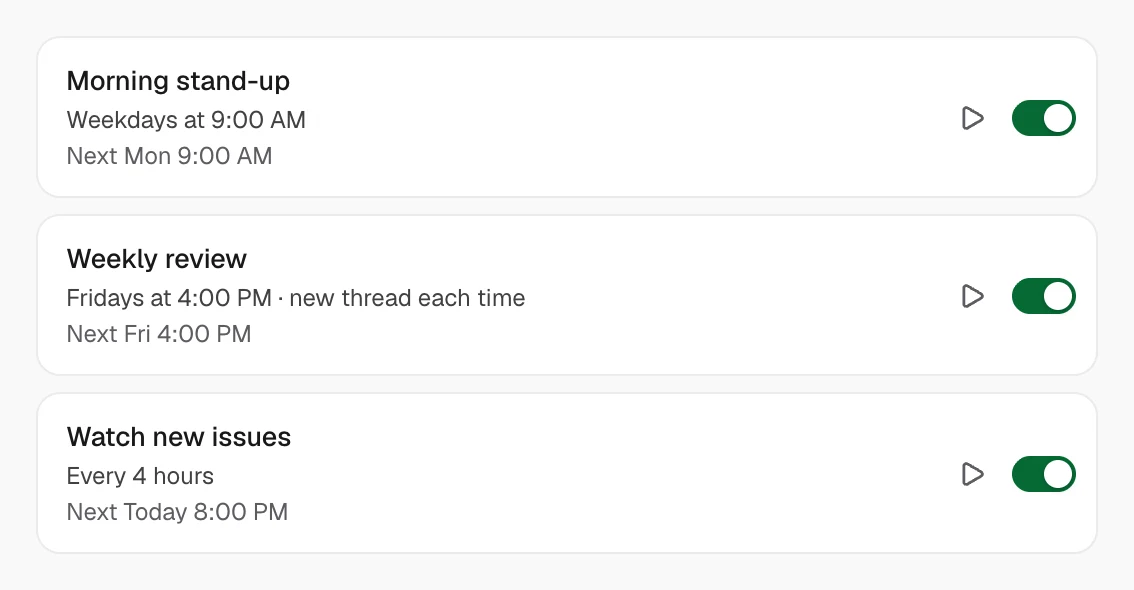
Routines on a schedule
Hourly, every few hours, daily, weekdays or chosen days, with Run now and a new thread each time if you like.
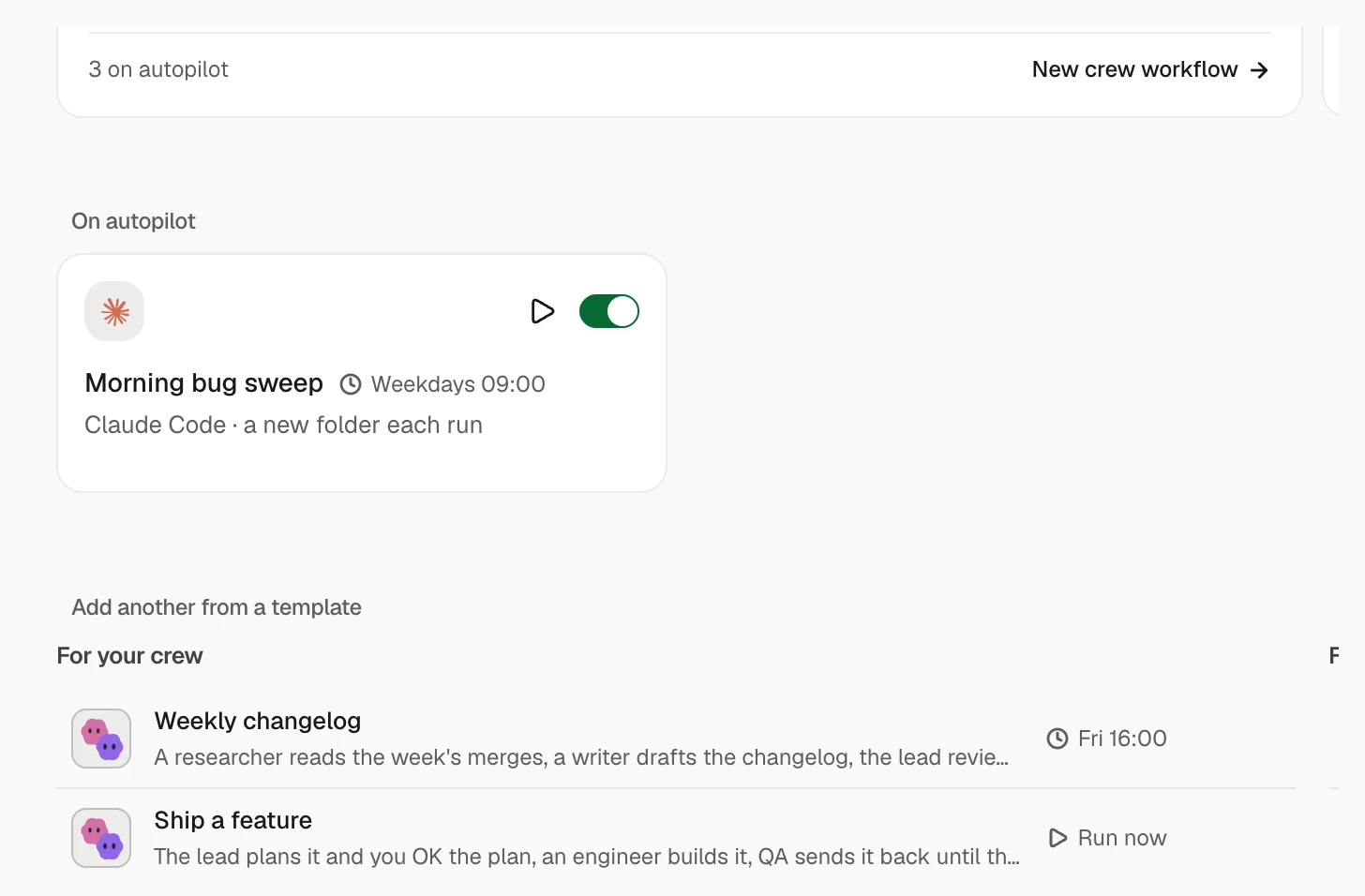
Automations on a schedule
Give a job to your crew, in steps that hand on to each other, or to one coding tool, on a schedule, a webhook or another agent finishing. Start from a template: a weekly changelog, a morning bug sweep, nightly tests or Monday dependency updates.
Rules you set, per teammate
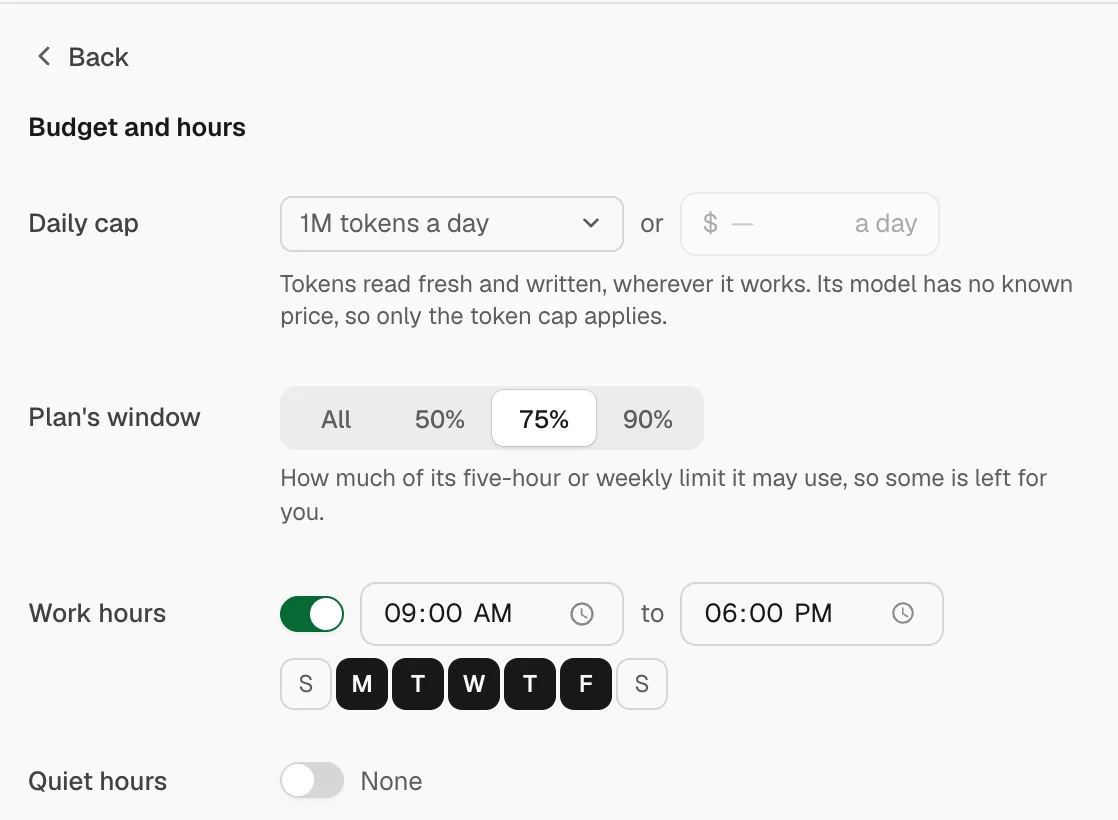
Read only, Ask before changes or Full access. A budget in tokens or dollars a day, work and quiet hours, and a log of every go-ahead it asked for. Nothing is capped unless you set it.
Fallbacks when a tool runs out
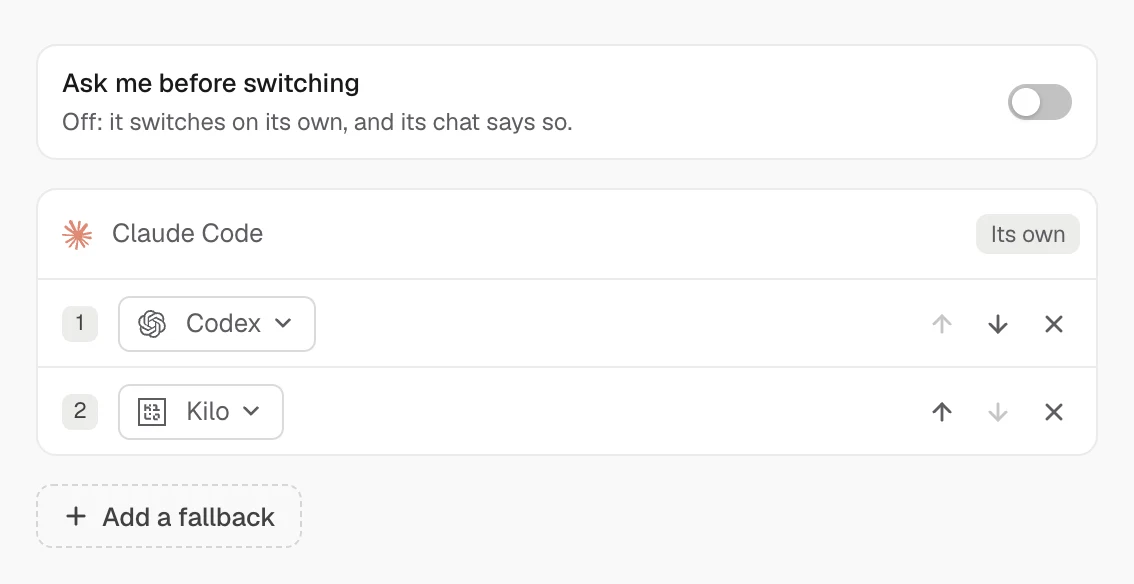
An ordered list of tools to move to, each with its own model. Never another account of the same tool. It can ask first.


What a teammate never does while you’re away
- Push to a default branchWork stays on its branches.
- DeployNothing goes to production.
- Delete dataNothing is thrown away.
- Spend moneyNo charges, purchases or refunds.
Questions
- Does it run in the cloud?
- No. Teammates run on your coding tools on this computer. Friday must be open and the computer awake; closing the lid sleeps it.
- Does my Mac stay awake?
- While away mode is on and the crew has work in hand, Friday keeps the Mac from idle sleep. Closing the lid still sleeps it.
- What do they cost?
- Nothing from Friday. They use your coding tools’ plans, and you can cap tokens or dollars a day per teammate.
- How many can I have?
- Up to 12 teammates, and up to 20 rooms of 12 members each.
- Can I stop everything at once?
- Yes. Away and pause holds everything, and Stop all cuts every turn short.
- Where is it in the app?
- The rail item is Agents. The shared room is titled Crew.
Keep exploring
- Friday ADEClaude Code, Codex, Cursor and 14 more in one thread on your own computer. They split the job, ask each other, check the work and hand on at usage limits.→
- OrchestratorA lead agent splits the job into tasks, free agents take them, and each task is checked before it counts as done. The Tasks tab shows who has what.→
- Friday MobileFriday Mobile is coming: check on your coding agents and answer what is waiting on you from your phone.→