Write a skill once.
Every agent can use it.
A skill is how to do one kind of task: how you review a pull request, ship a release or write a migration. Import skills from any public GitHub repository, copy the ones your coding tools already have, or write your own. Every agent reads them.

- Import from GitHubPaste a public repository, or a folder in one. Friday finds the skills in it and you pick the ones you want.
- Copy from your toolsSkills Claude Code, Codex or a project already has are a click from being everyone’s.
- Shared with every agentEach tool is told about the skills it doesn’t load itself, up to 80, with duplicates removed by name.
Import skills from GitHub
Paste a repository like github.com/anthropics/skills, press Find skills, and pick what you want, up to 25 at a time. Each skill comes in whole: its SKILL.md and the scripts and references beside it. Ones you already have are marked, so nothing comes in twice.
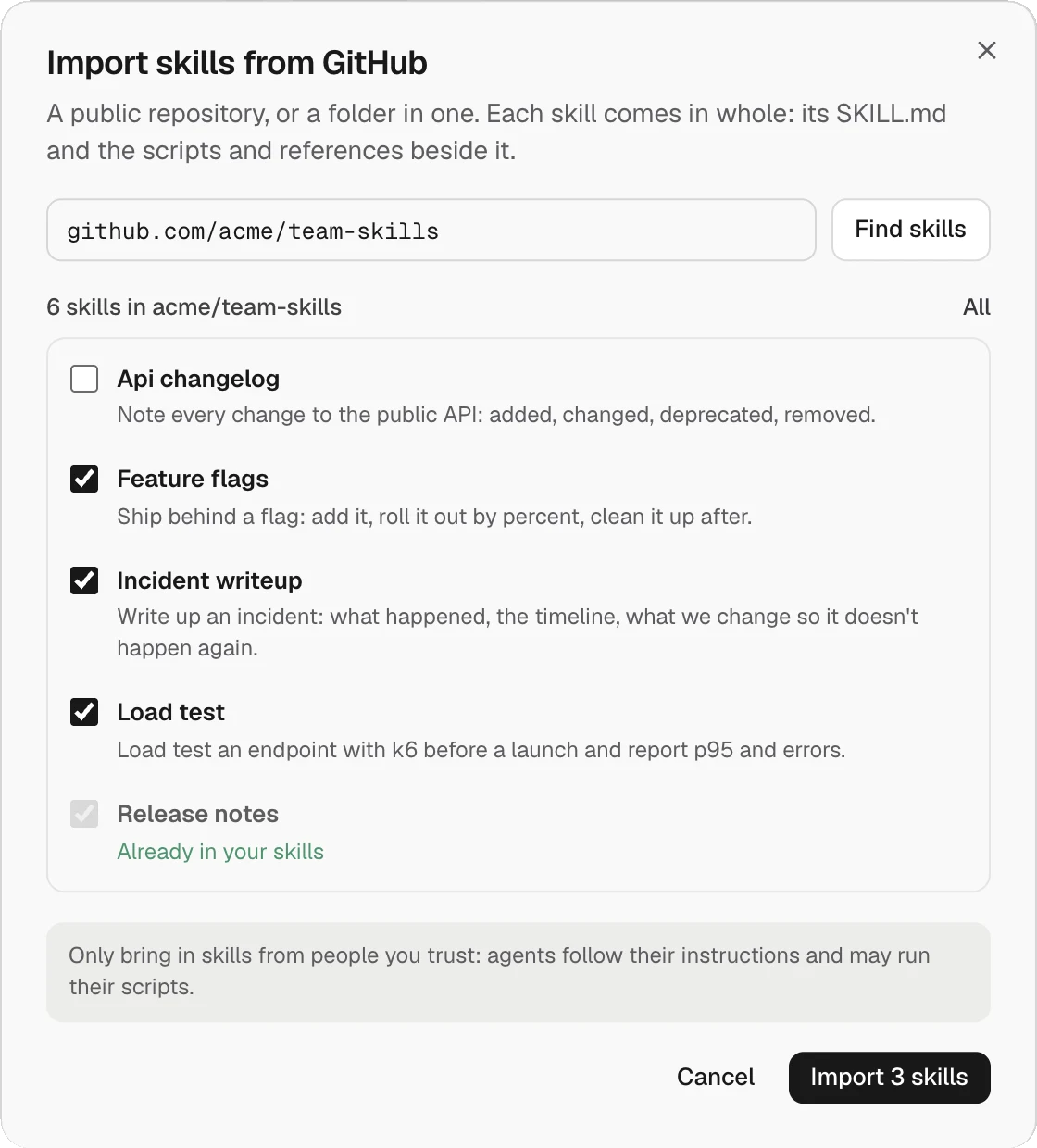
A skill is a folder
SKILL.md says what the skill is for and when to use it. Scripts and references sit beside it. An agent reads it when a task matches what it says it’s for.
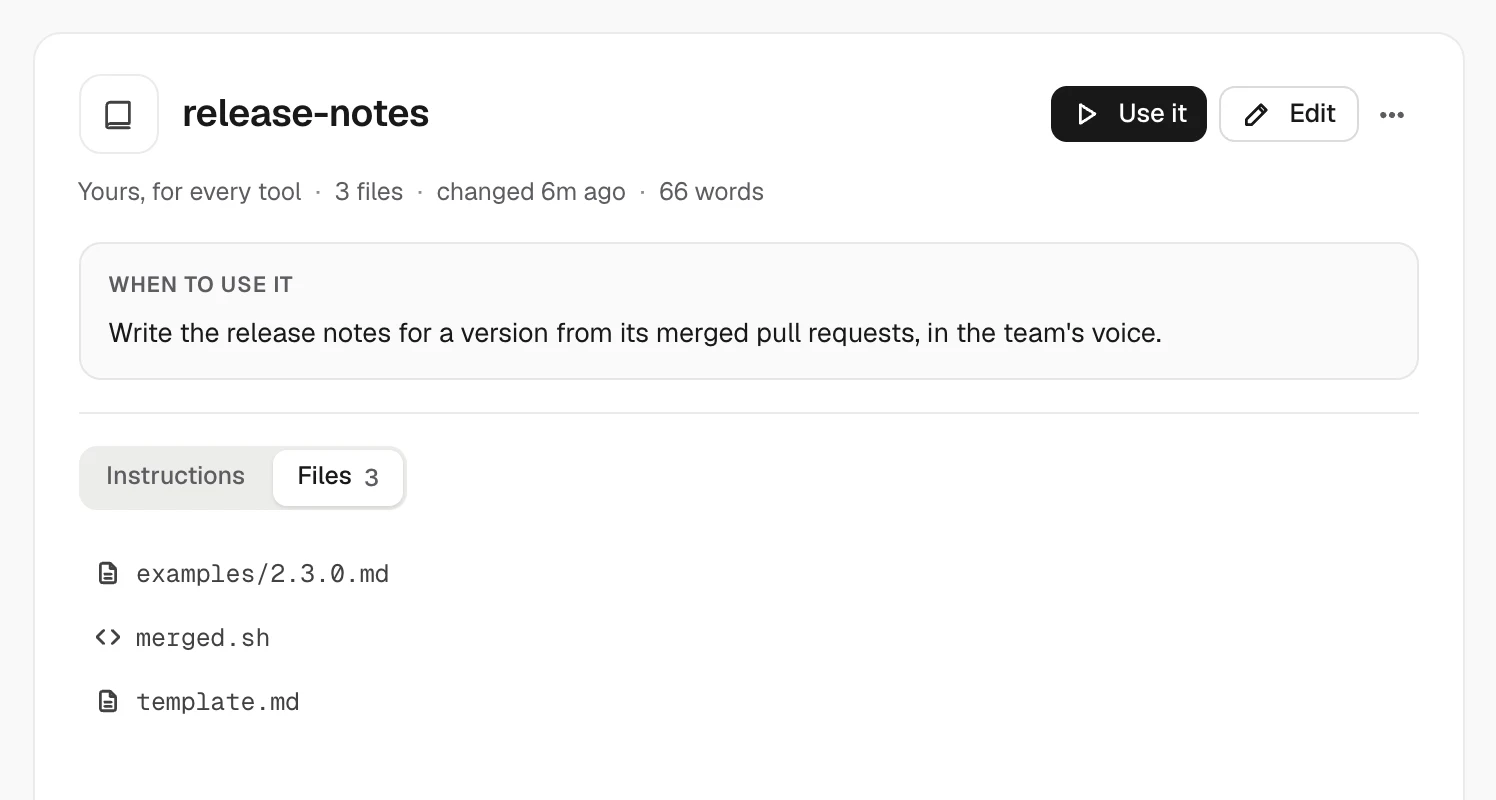
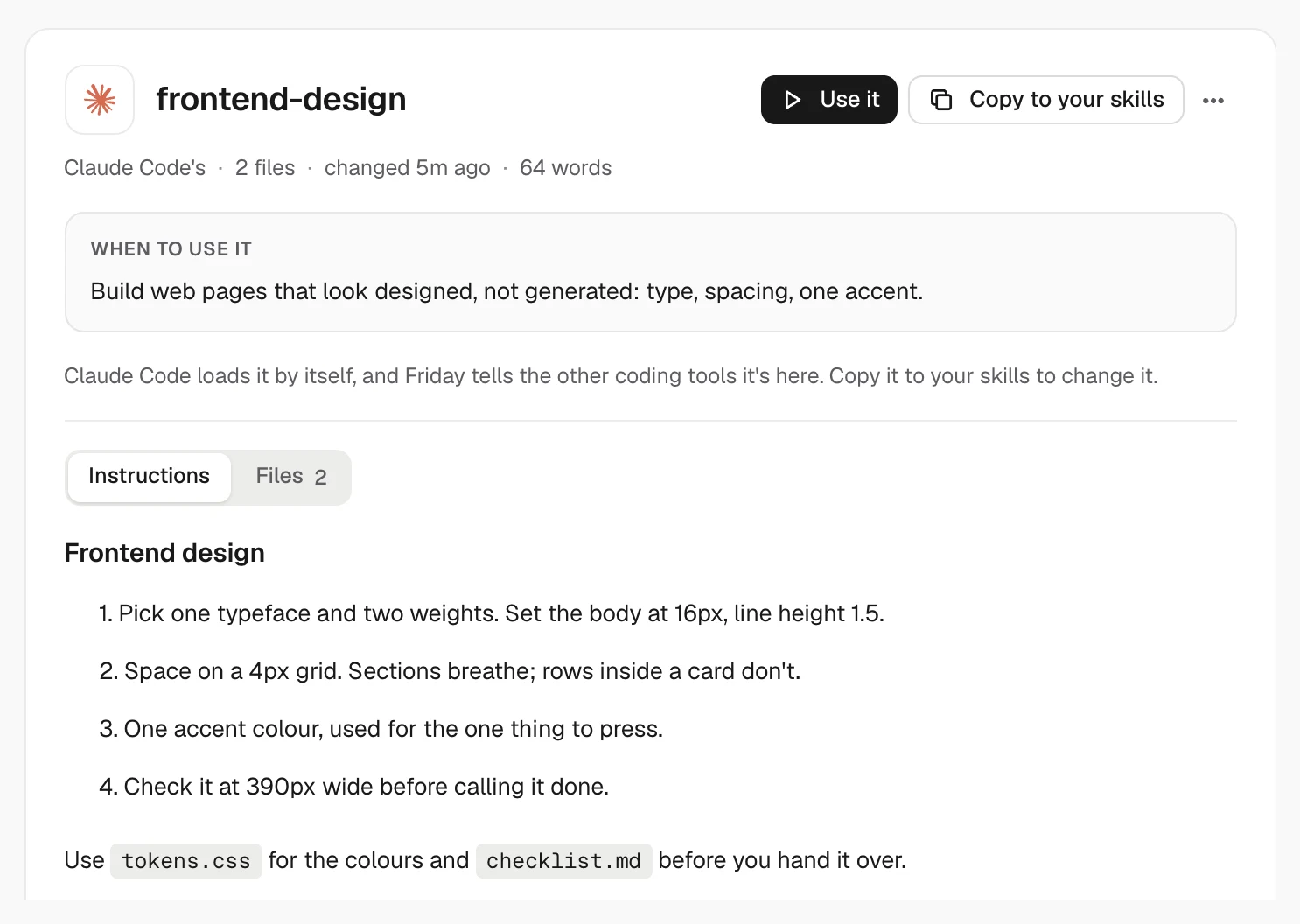
Copy what your tools already have
Friday reads the skills already on this computer, by coding tool and by project. Copy one into your skills and every agent has it. Your copy lives in a shared folder; Friday never writes into a tool’s own skill folder.
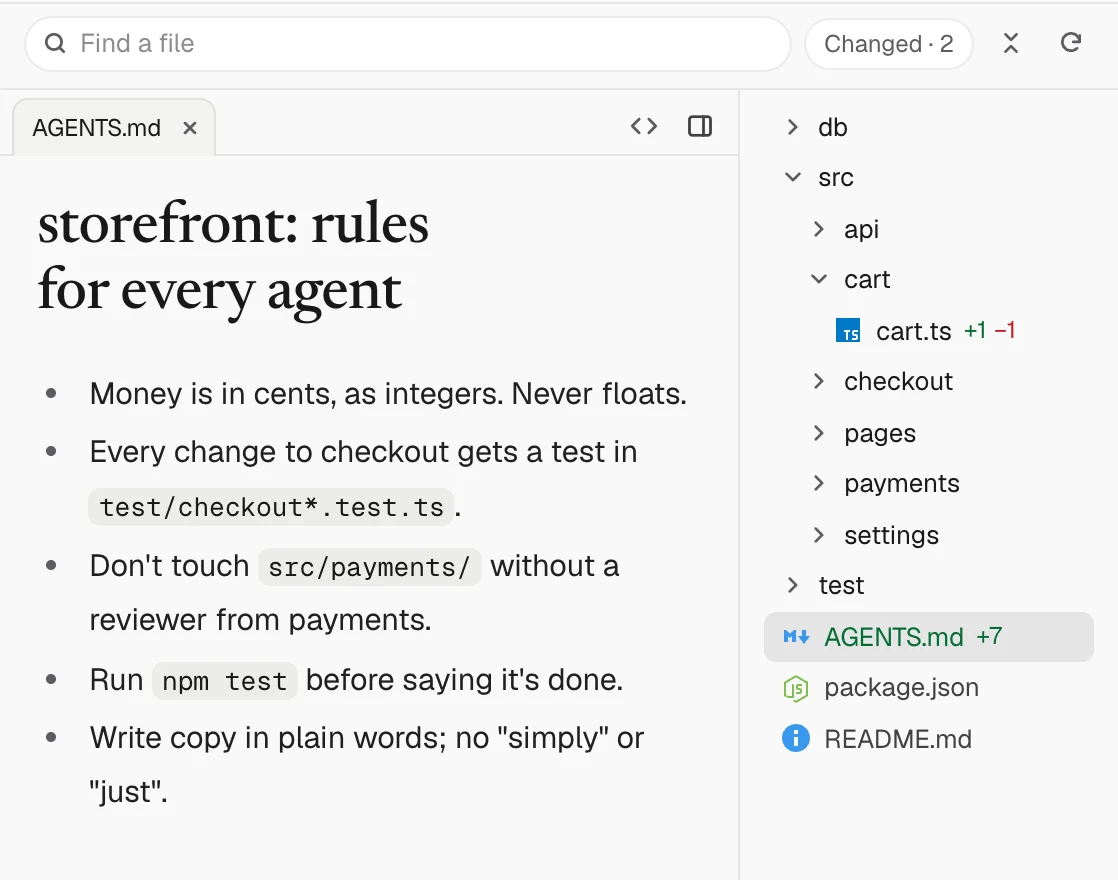
Rules the whole repo follows
Write the rules every agent should follow in AGENTS.md, and open it beside the code in any session. Each coding tool loads its own file, and Friday can point CLAUDE.md at AGENTS.md so they never drift. Rules you add from Friday land in .friday/rules.md, committed with the repo.


What every agent reads
- Your skillsWritten, imported or copied. Read when a task matches.
- Repo rules.friday/rules.md, committed with the repo.
- Project memoryCorrections, decisions and conventions learned from finished runs.
- AGENTS.md and CLAUDE.mdEach tool’s own files. The Rules panel can point CLAUDE.md at AGENTS.md.
Questions
- Which GitHub repositories can I import from?
- Any public repository, or a folder in one. Paste its address and Friday finds the skills inside.
- Do the scripts come too?
- Yes. Each skill comes in whole: its SKILL.md and the scripts and references beside it.
- Is it safe to import a skill?
- Only bring in skills from people you trust. Agents follow a skill’s instructions and may run its scripts, and Auto mode still stops at the go-ahead list.
- Do my Claude Code skills still work in Claude Code?
- Yes. Friday doesn’t move or change them. It only tells the other tools about them.
- Where do I edit project memory?
- In Settings › Memory: edit, pin, forget or add lessons.
Keep exploring
- PluginsGitHub, Linear, Slack, Notion, Stripe and 97 more MCP servers, set up once for Claude Code, Codex, Amp and ACP agents. Plus any server of your own.→
- Auto modePlan, Manual, Auto and Full access, and the exact go-ahead list Auto still stops for: pull requests, pushes to main, deploys, money, posting as you, access and data loss.→
- AGENTS.md vs CLAUDE.mdWhat AGENTS.md and CLAUDE.md are, which file Claude Code, Codex and Cursor read, and how to keep one file for every agent, with examples.→